GUIDE TO RUNNING MULTIPLE MT5 ACCOUNTS ON REDBOT MANAGER
This article will guide you on how to launch multiple MT5 accounts simultaneously and manage them in the fastest way possible.
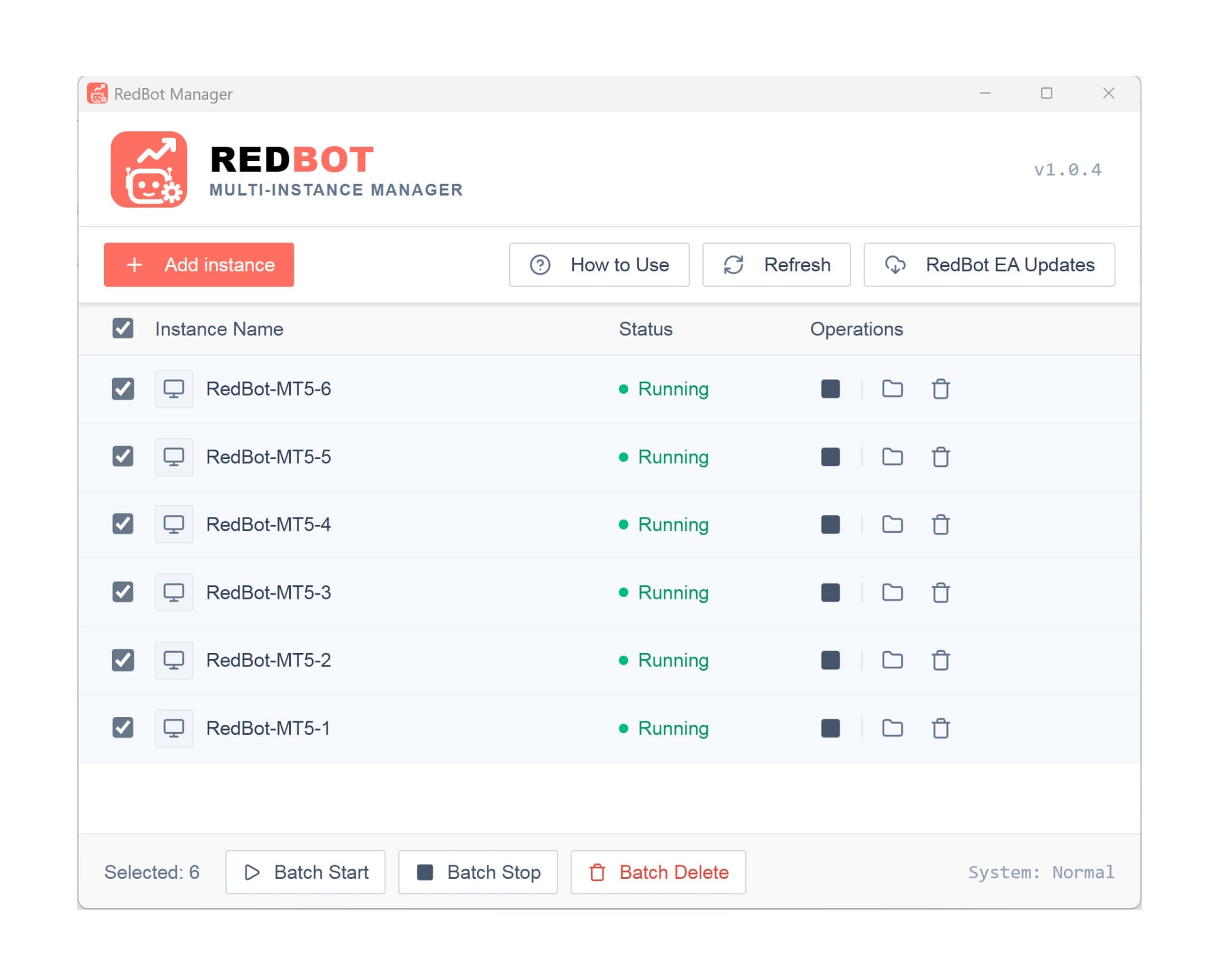
Please note that running multiple MT5 accounts simultaneously will consume significant computer resources, so it is recommended to use a VPS to optimize trading performance.
Part 1: Creating and managing multiple MT5 accounts on RedBot Manager
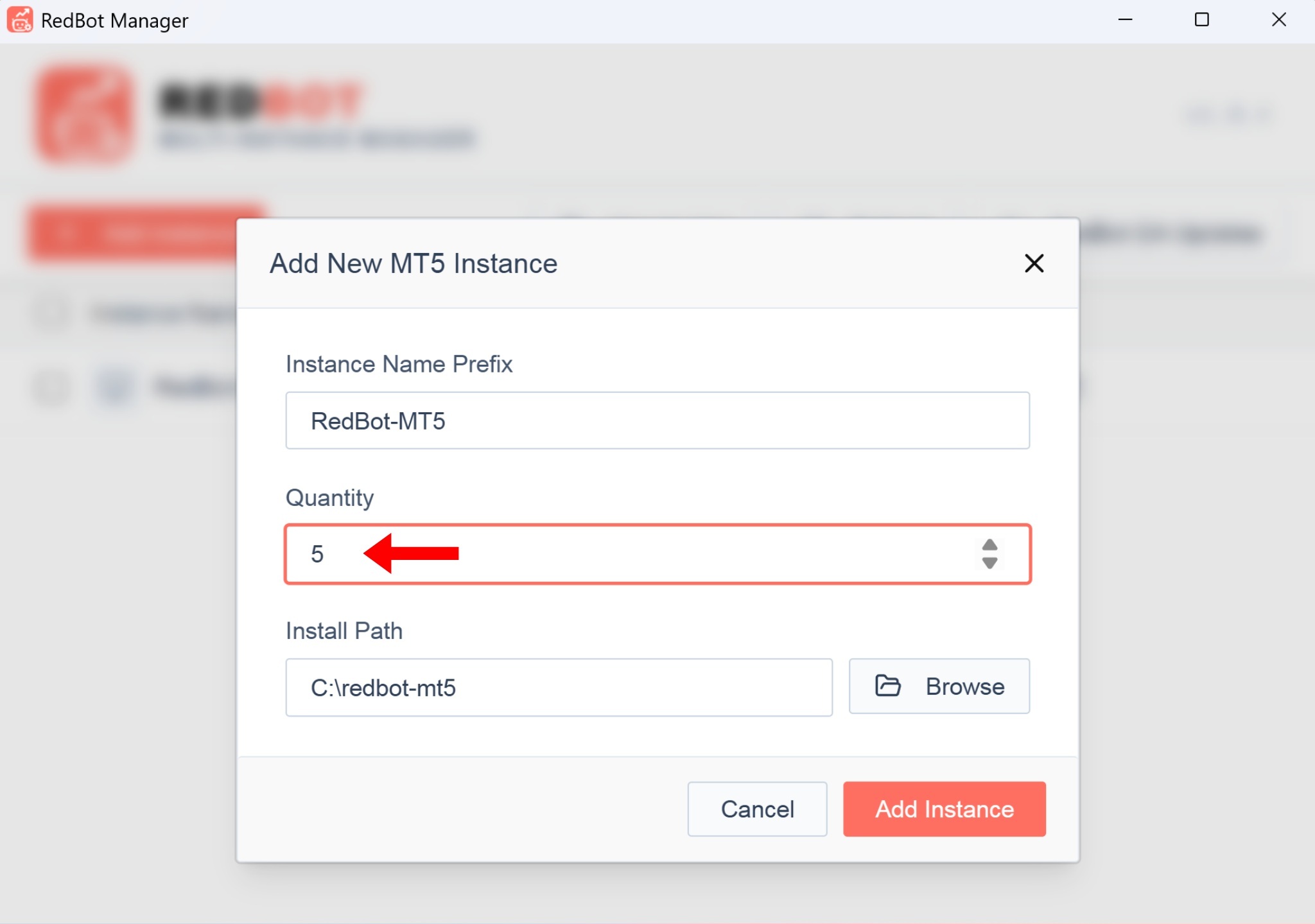
To create multiple different MT5 sessions, click on [+ Add instance], set the number of MT5 accounts you want to create, and then click [Add Instance]
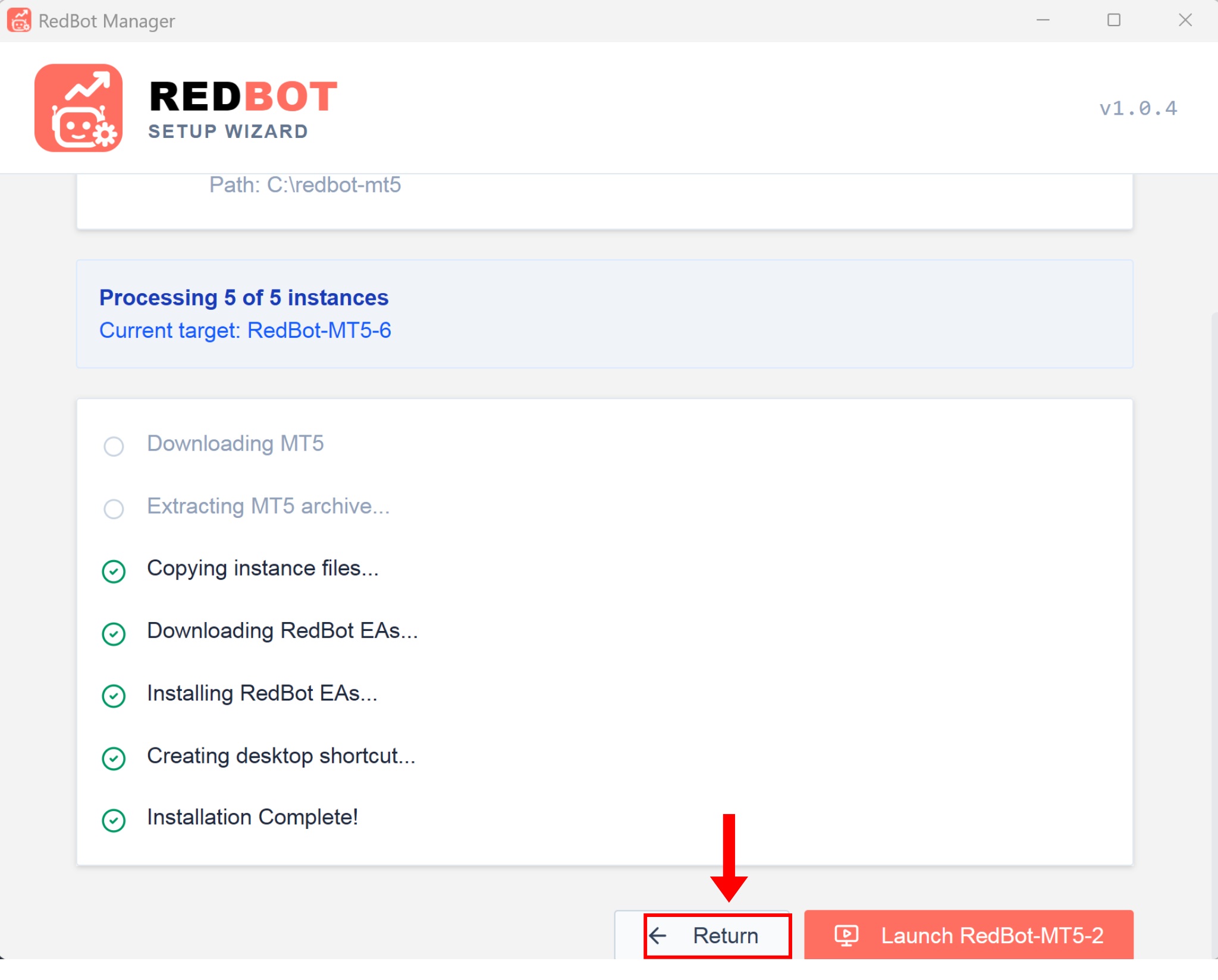
Wait a moment for the program to process. Once completed, click the Return button to go back to the main management interface.
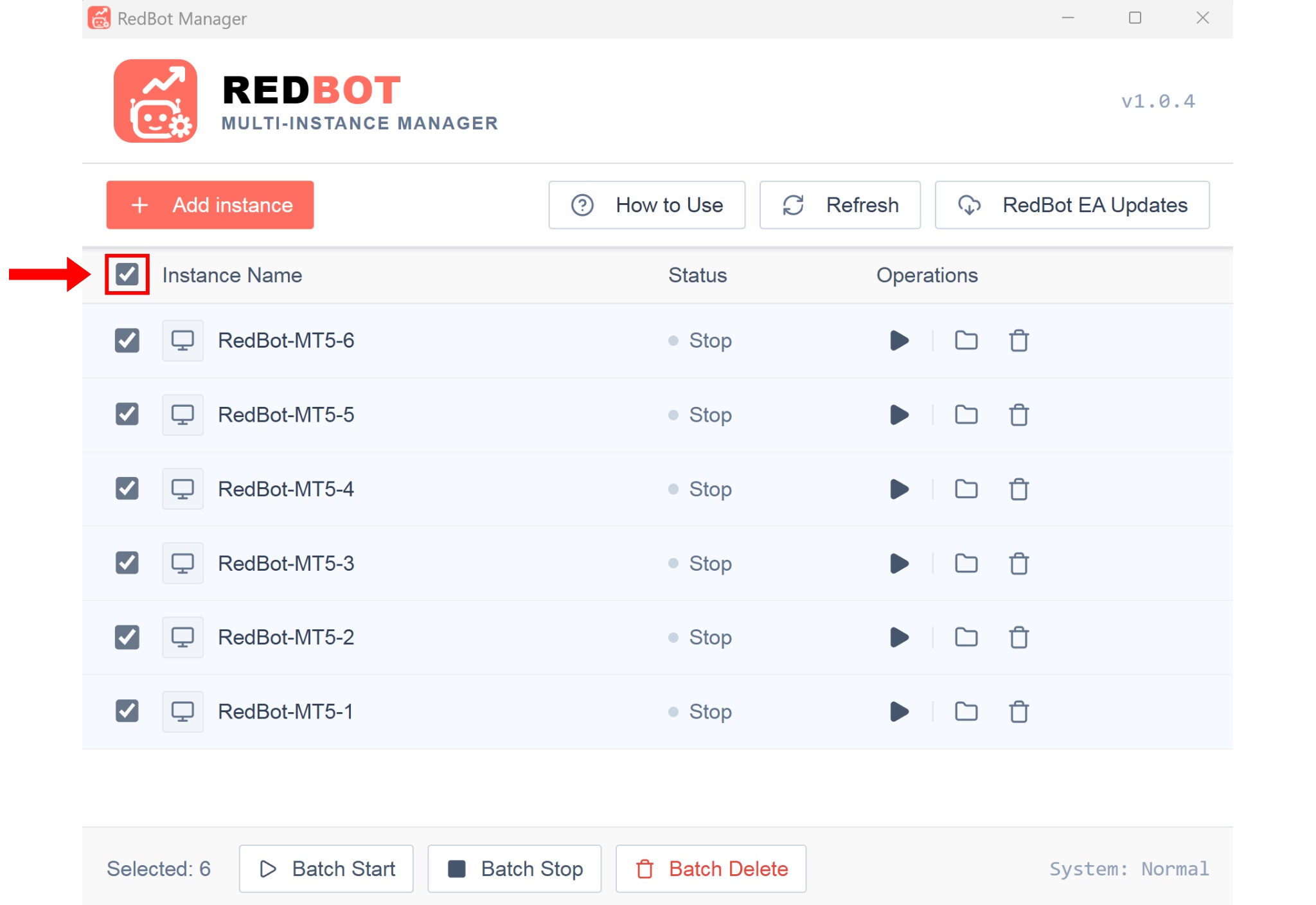
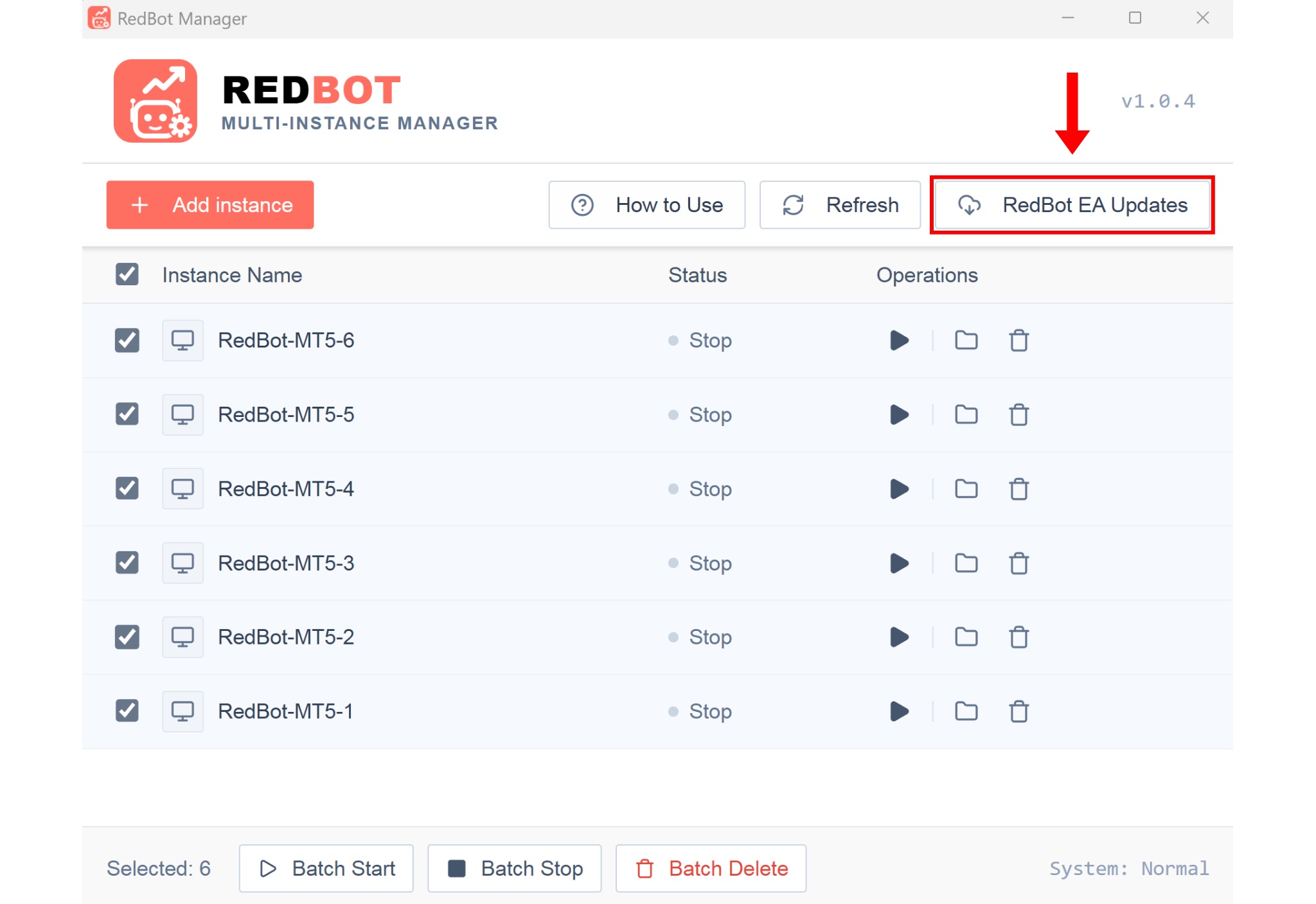
The Manager interface will display all the MT5 sessions you have created. With an intuitive and easy-to-use interface, you can freely perform operations on each individual MT5 session. Additionally, you can use the quick management function by checking the Instance Name box to select multiple items, then use the function buttons below such as: Batch Start - Batch Stop - Batch Delete. During use, if the status of the MT5 sessions is not displayed correctly, please click the Refresh button to update the status.
Part 2: Updating RedBot quickly using Manager
When there is an official announcement regarding new updates for the RedBot software, you can update it quickly by clicking the RedBot EA Updates button on the Manager
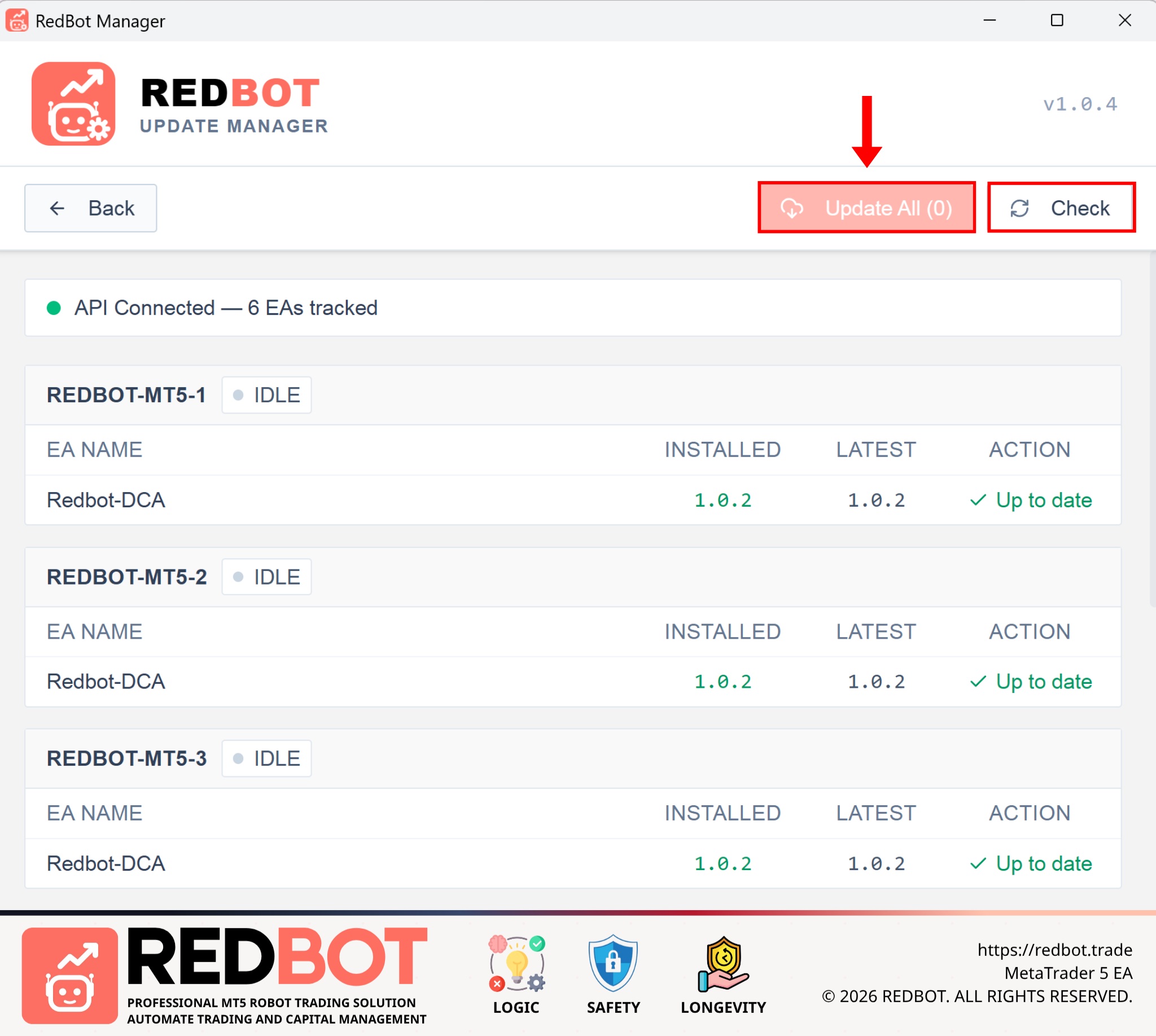
The update interface will appear; at this point, you just need to click Check → Update All and you are done.
Share this insight with your trading network
If you found this article valuable, help us spread the knowledge by sharing it on your social channels.